Balance Lock Codes of All Networks (Jazz, Zong, Telenor, Ufone) 2026
Quick answer
- Jazz / Warid: dial *275# to lock, *275*4# to unlock
- Zong, Telenor, Ufone: see the table below. Codes change, so confirm with the helpline
- Works on every phone: set a mobile data limit or turn off mobile data when your bundle ends
A balance lock (also called balance save) stops your mobile operator from using your prepaid balance for internet when your data bundle has finished or expired. Without it, your phone keeps using data at expensive pay-as-you-go rates, and your balance can disappear in minutes.
Why your balance disappears
When no internet package is active, operators charge “out-of-bundle” rates per MB, which are much higher than bundle rates. Apps update in the background, so even a few minutes online can use a lot of balance. Operators send expiry SMS alerts, but these often arrive late or get missed. Zong was one of the first to offer a balance lock code, and other networks followed with similar services.
Balance lock codes of all networks
| Network | Lock / save | Unlock | Helpline |
|---|---|---|---|
| Jazz | *275# | *275*4# | 111 |
| Warid (now Jazz) | *275# | *275*4# | 111 |
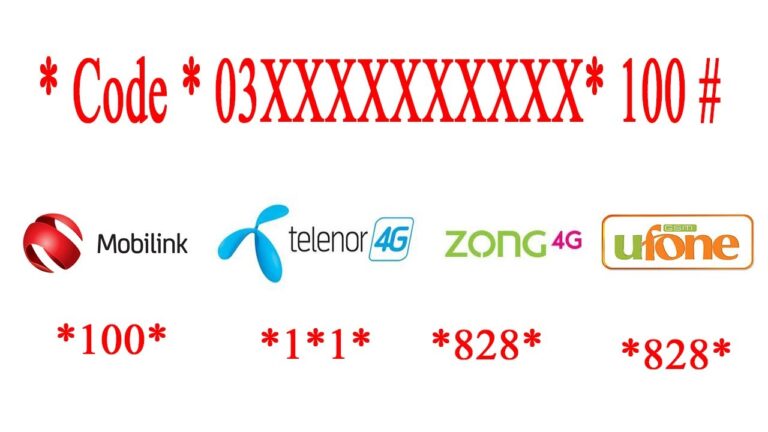
| Zong | *4004# (some users report *7272#) | Dial the same code and choose the off option | 310 |
| Telenor | *7799# (if unavailable, ask for “Pay-as-you-go internet blocker”) | Dial the same code and follow the menu | 345 |
| Ufone | *3344# (some users report *6611#) | Dial the same code and follow the menu | 333 |
Important: operators update these services from time to time, and different sources report different codes. If a code does not work, call the helpline or check the operator’s official app (Jazz World, My Zong, My Telenor, My Ufone) and ask them to block out-of-bundle internet charges on your number.
How to lock your balance (step by step)
- Open your phone’s dialler.
- Dial the lock code for your network from the table.
- Follow the on-screen menu if one appears.
- Wait for the confirmation SMS.
- Test it: when your bundle ends, your balance should stay the same even with mobile data on.
To check your balance before and after, use *111# (Jazz), *222# (Zong), *444# (Telenor) or *124# (Ufone). See our full list of balance, MB and own-number codes.
A method that works on every phone
Even without a lock code, you can protect your balance from your phone’s settings:
- Android: Settings → Network & internet → Data usage → Set data limit.
- iPhone: Settings → Mobile Data → turn off mobile data for apps you don’t need.
- Turn off auto-update over mobile data in the Play Store or App Store.
- Turn mobile data off when your bundle ends and switch to Wi-Fi.
Frequently asked questions
Is the balance lock service free?
Most operators offer it free. Some alternative “blocker” services may have a small charge, which the operator tells you before activation.
Will calls and SMS still work?
Yes. The lock only stops balance being used for internet without a bundle. Calls and SMS continue as normal.
Does it affect my internet bundle?
No. Your active data bundle works normally. The lock only applies once the bundle is used up or expired.
How do I share balance or transfer it to another number?
See our guide to balance share codes of all networks.
Last checked October 2026. Codes are set by operators and may change; confirm with your operator’s helpline or official app.